
Appearance
General Architecture
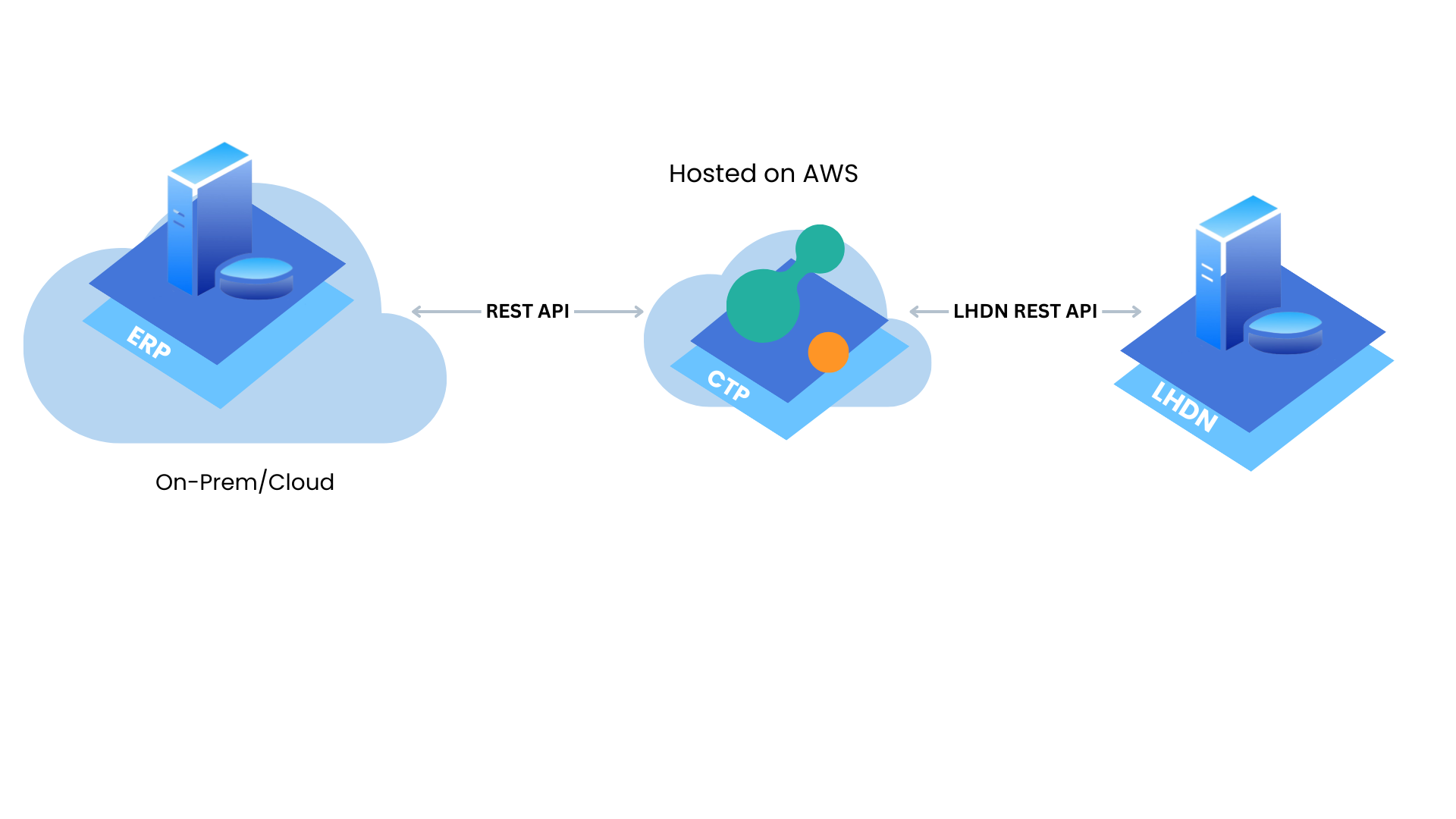
Upon receipt of the invoice from ERP, CTP forwards it to LHDN for processing, and upon fulfillment of conditions, LHDN returns the store submission ID. Additionally, the invoice application is hosted within CTP. Subsequently, the store submission ID is transmitted directly to ERP for integration.
ERP
The ERP is the core system that manages the organization’s business processes like invoicing, accounting, and financial reporting.The ERP can be hosted either On-Prem or in the Cloud. The ERP communicates with the CTP through a REST API.
CTP
Crayonte Technology Platform (CTP) is a backend that handles requests, processes & stores data into the database.
LHDN
Lembaga Hasil Dalam Negeri (LHDN), which is the Malaysian Inland Revenue Board. It is the government agency responsible for the administration and collection of direct taxes in Malaysia, including income tax, corporate tax, and goods and services tax (GST) before it was replaced by the Sales and Services Tax (SST). LHDN plays a crucial role in ensuring compliance with tax laws and regulations in Malaysia.
Submission of Document
Step 1:
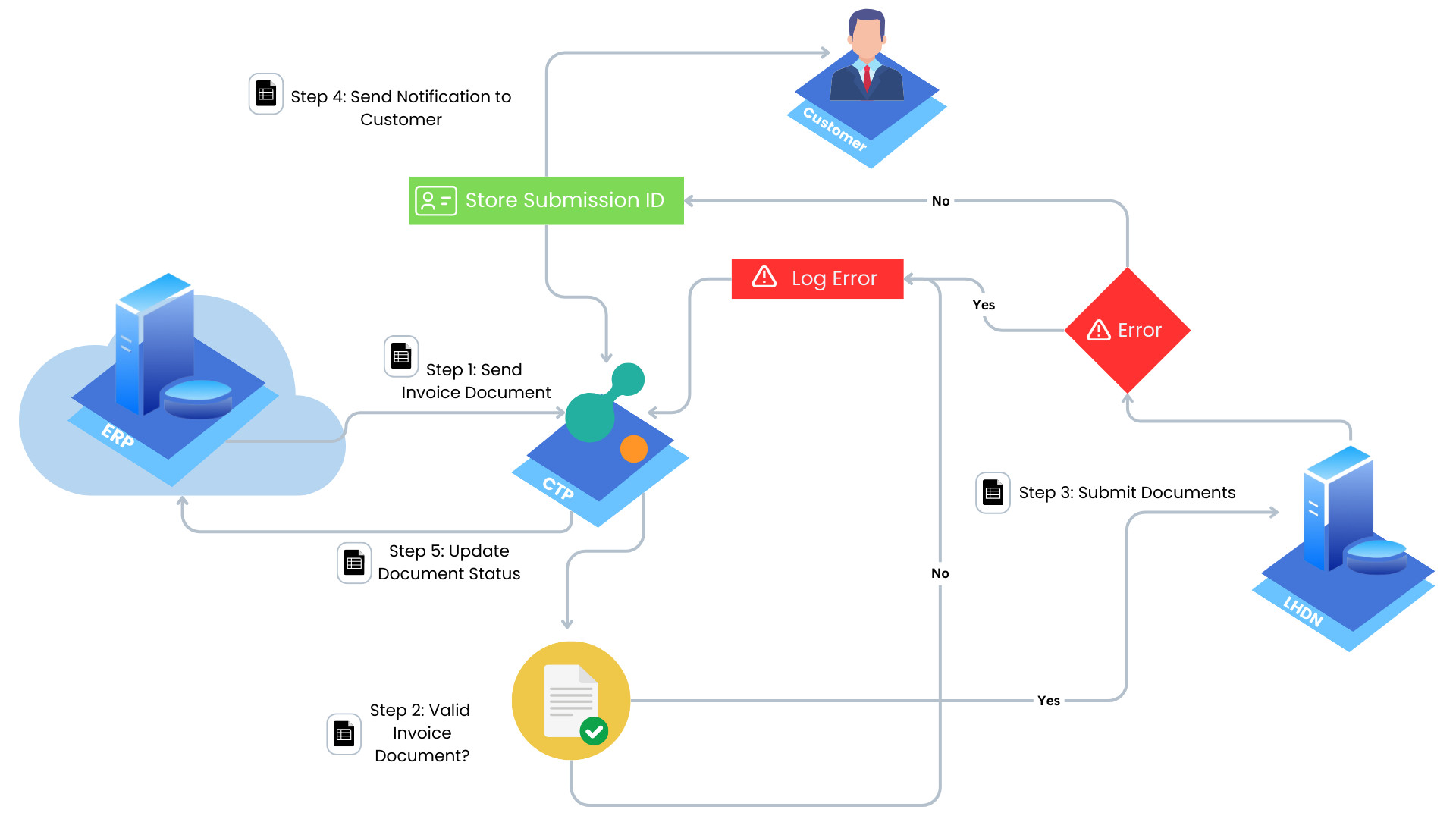
Initiate the transmission of an invoice document from ERP to CTP.
Step 2:
Perform validation on the invoice document. Various validators are executed to ensure compliance with standards. The validators include:
- Structure Validator
- Core Fields Validator
- Signature Validator
- Taxpayer Validator
- Referenced Documents Validator
- Code Validator
- Duplicate Document Validator
After executing these validators, if all conditions are met, proceed to submit the document to LHDN. If any condition fails, log the error for correction by CTP.
Step 3:
Submit the validated document to LHDN. LHDN conducts further validation processes. If all validations are successful, LHDN generates a store submission ID. Otherwise, log the error for review and correction.
Step 4:
Upon generating the store submission ID for e-invoicing, promptly forward it to the CTP and notify the customer via email for confirmation.
Step 5:
CTP communicates the updated document status to ERP.
Cancellation of Document
Step 1: Invoice Cancellation by Seller
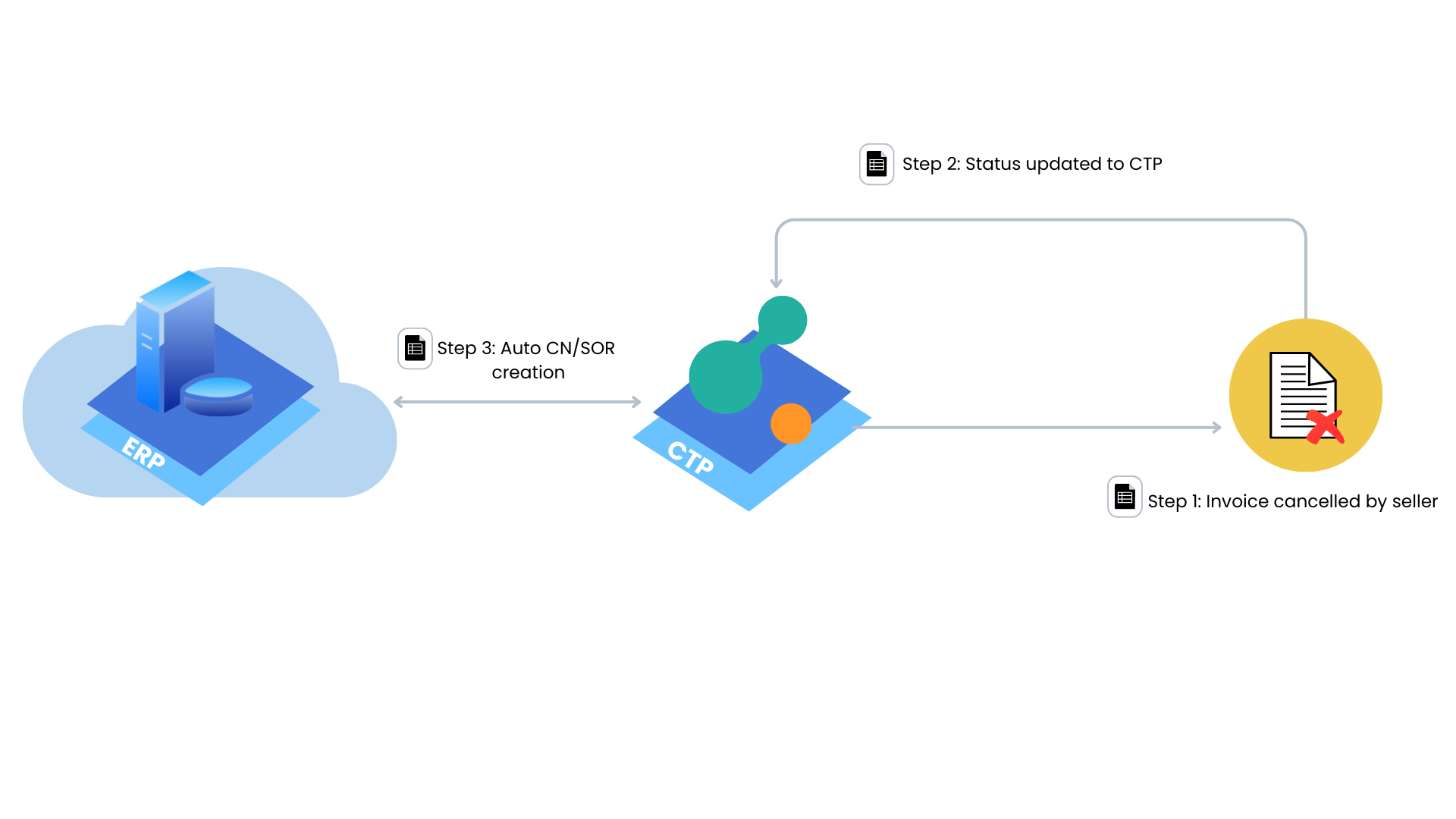
The seller initiates the cancellation of the invoice.
Step 2: Document Status Update to CTP
Update the status of the cancellation request within CTP to reflect the current progress and status of the document.
Step 3: Auto Credit Note (CN) or Sales Order Return (SOR)
Automatically generate either a Credit Note (CN) or Sales Order Return (SOR) in ERP.
Document Validated by LHDN/Buyer.
Step 1: Document Retrieval and Validation
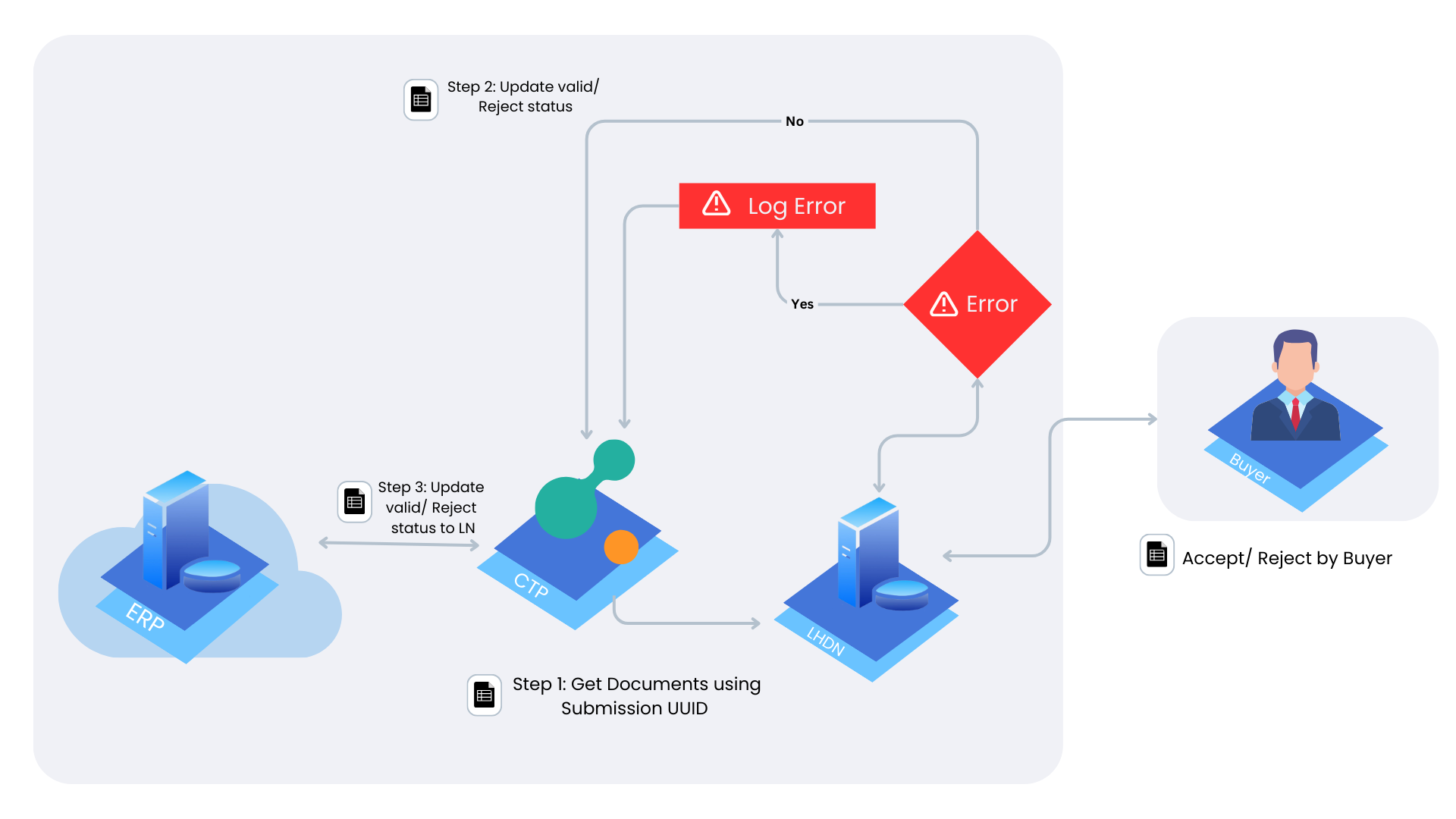
Document Retrieval and Submission to LHDN: Retrieve documents using the submission Unique ID of existing document (UUID) and send them to Lembaga Hasil Dalam Negeri (LHDN) for validation.
Approval/Rejection by Buyer:
LHDN sends the document to the buyer and awaits the buyer's decision to either approve or reject it.
Step 2: Error Handling and Routing
If errors occur during validation, log them and forward them to the Crayonte Technology Platform (CTP) for resolution; otherwise, proceed to the next step.
Step 3: Update Status in CTP
If no errors occur:
Update validation status (valid/reject) in the Crayonte Technology Platform (CTP).
Step 4: Update Status in ERP
Reflect validation status (valid/reject) in the ERP system to synchronize with CTP status.