
Appearance
Country Codes
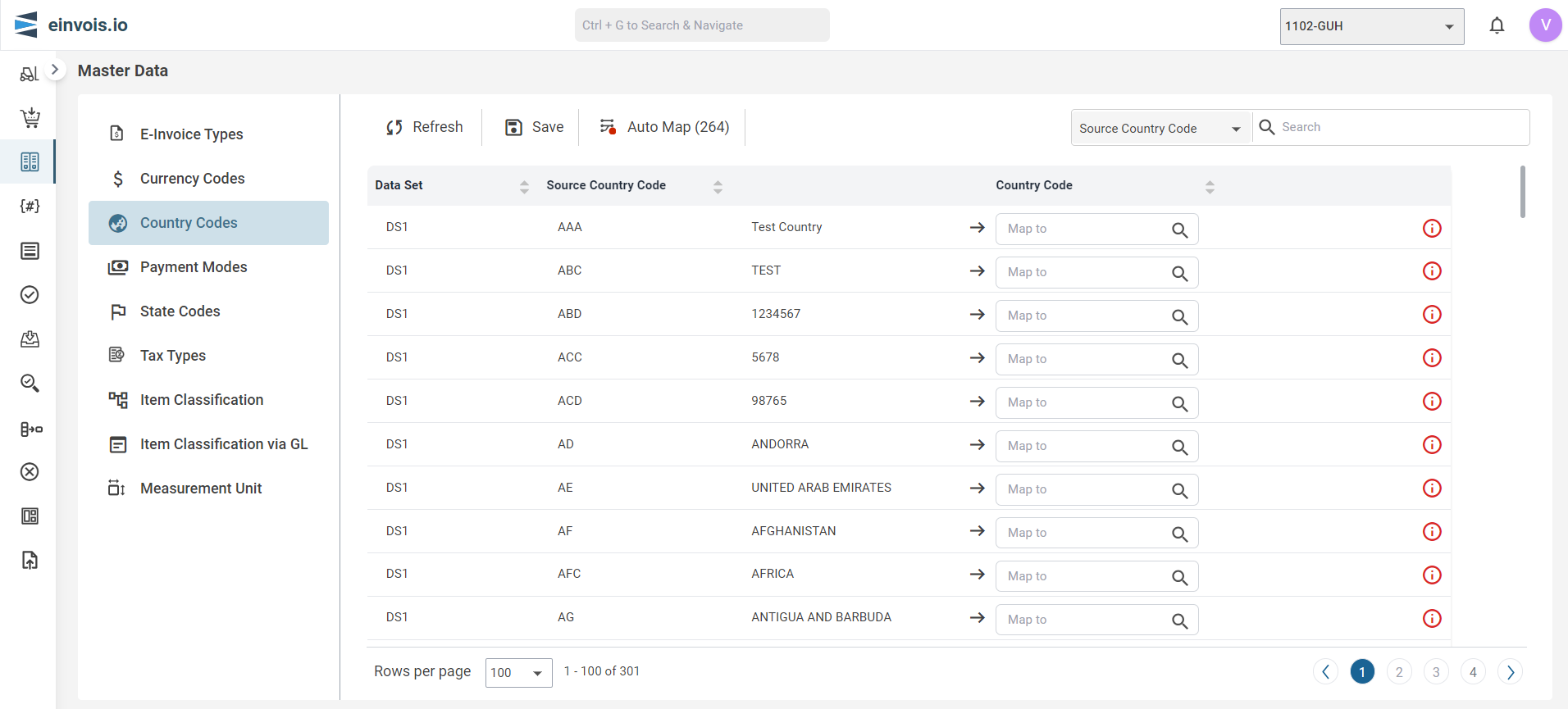
Use this session to map data from both the ERP and LHDN.
Country Codes Screen
Note
Map is like connecting dots between two value to show how they're related.
Auto Map
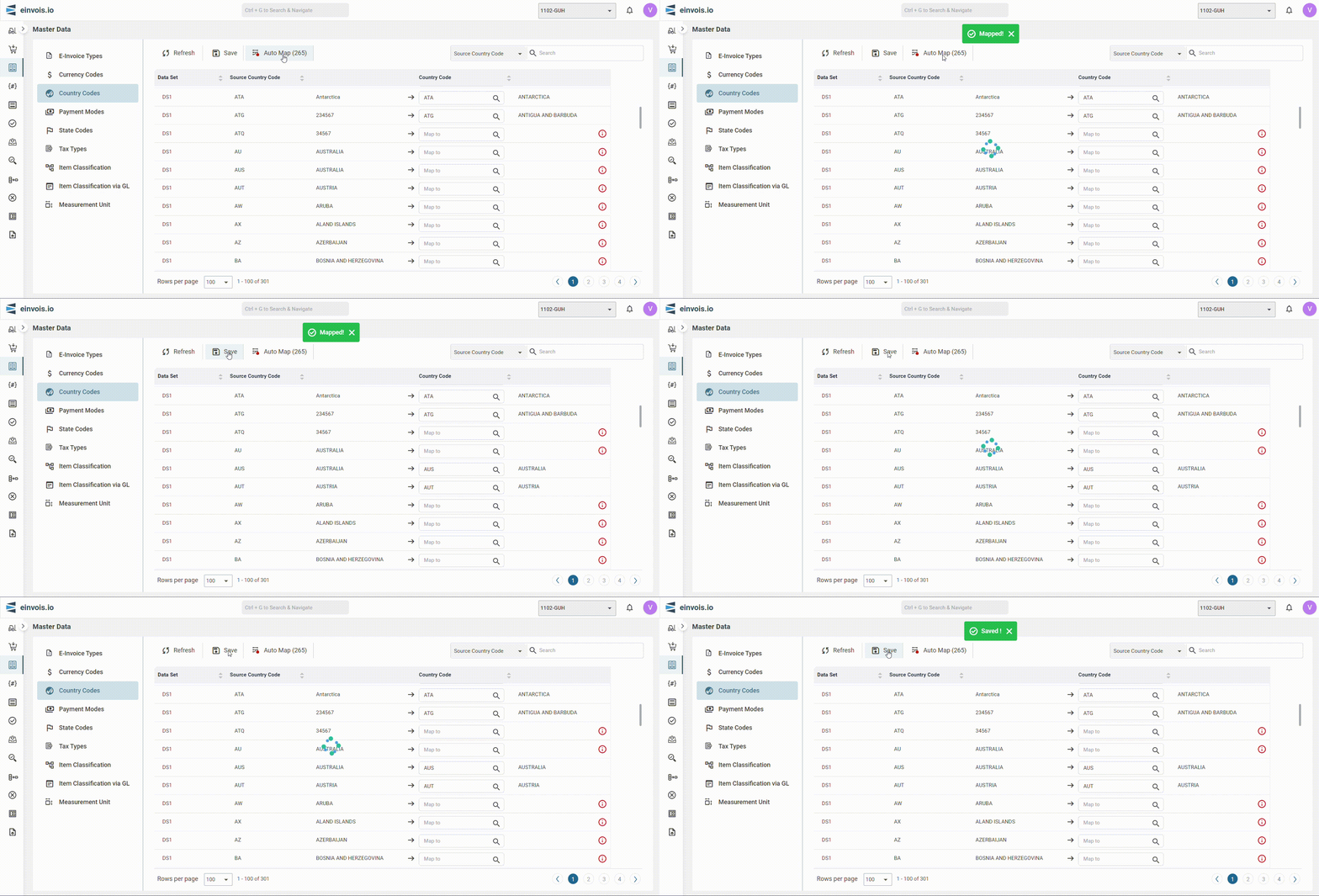
The Country codes from LHDN will automatically map once user click "Auto Map"
For example: "CHN" from ERP match to "CHN" from LHDN will be auto mapped.
Afterward, the user can click "Save" to preserve the mapped data.
Manual Map
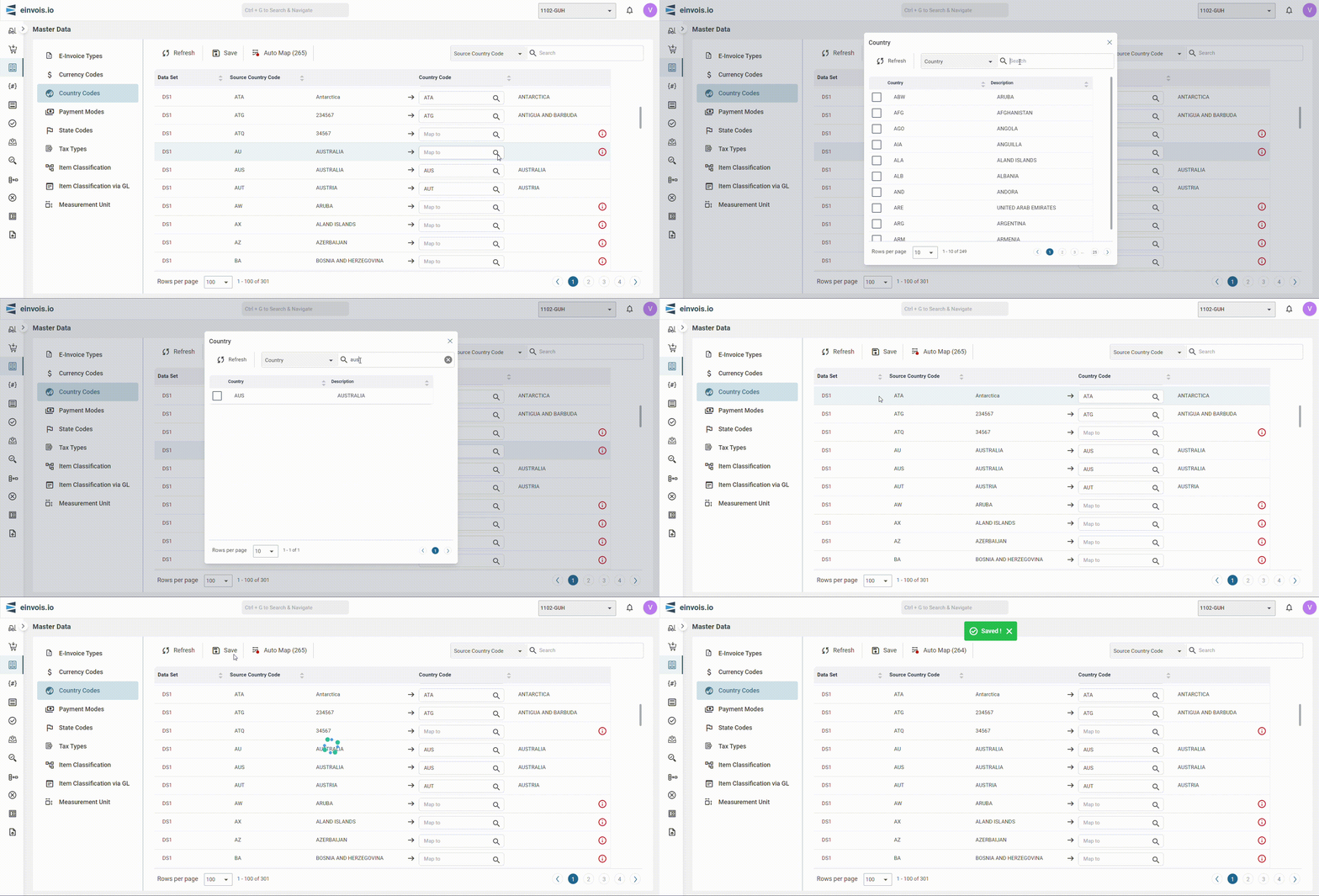
Incase where there's no match, users are required to manually map the data.
Afterward, the user can click "Save" to preserve the mapped data.