
Appearance
Invoices
Pending for Submission
Use this session to view invoices that are waiting to be submitted.
Invoices in this section have passed e-Invoice checks and will be submitted to LHDN automatically. The system processes them every hour in batches to avoid multiple API calls.
Pending for Submission Screen
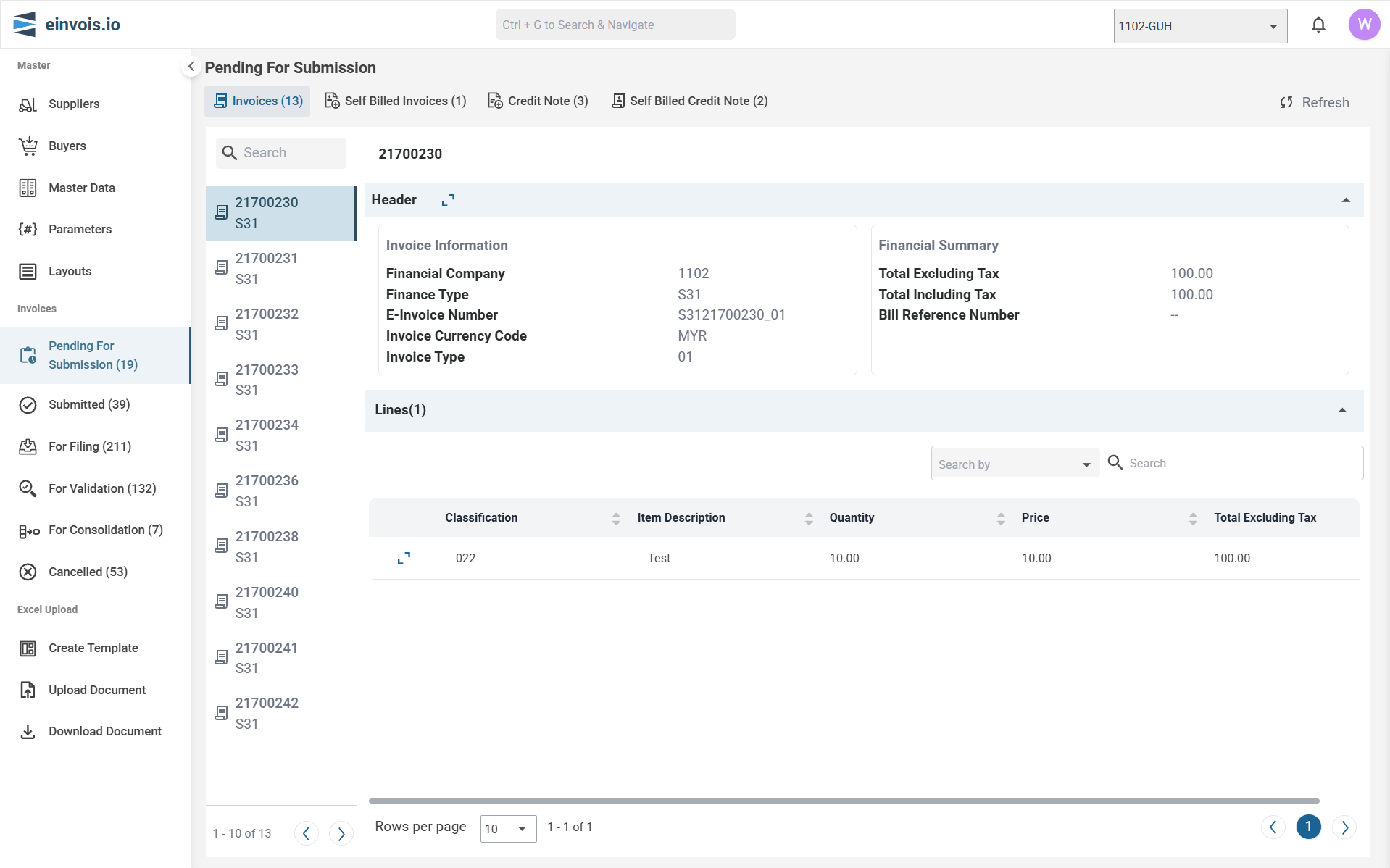
Header
The header section contains the following information:
1. Invoice Information
- Financial Company : The company code
- Finance Type : The type of finance
- E-Invoice Number : The electronic invoice number
- Invoice Currency Code : The currency used
- Invoice Type : The type of invoice
2. Financial Summary
- Total Excluding Tax : Total before tax
- Total Including Tax : Total with tax
- Bill Reference Number : Reference number for the bill
Lines
This section lists the line items in the invoice:
- Classification
- Item Description
- Quantity
- Price
- Total Excluding Tax
Note
If any error return by LHDN while submission, the respective invoice will be moved to LHDN validation.
Submitted
Use this session to view invoices that have passed through the portal and LHDN structure checks, have been submitted, and are awaiting LHDN validation.
Submitted Screen
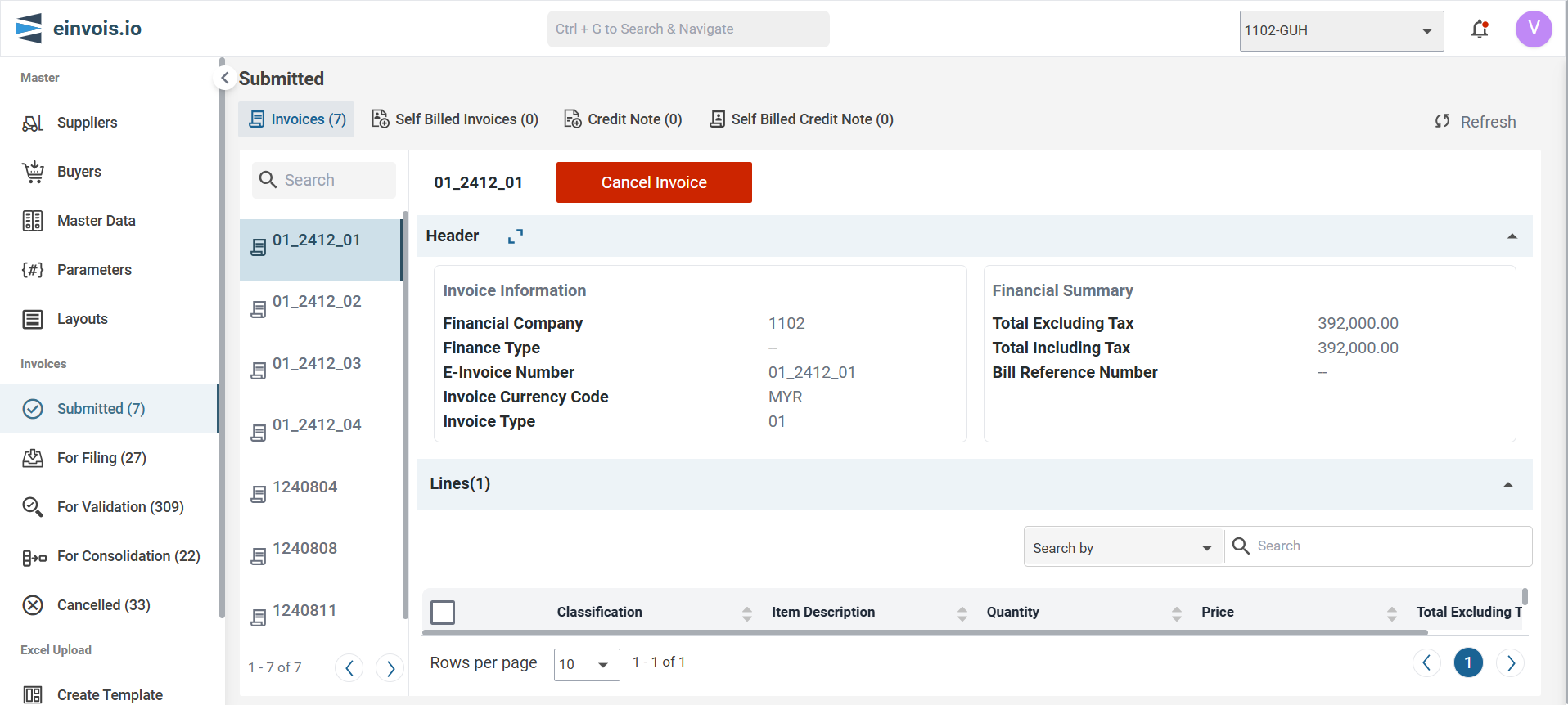
Details in the Submitted Invoice Section
Invoice List
- Displays a list of submitted invoices along with their unique identifiers.
- You can scroll through the list to view different submitted invoices.
Header
The header section contains the following information:
1. Invoice Information
Financial Company : The unique code assigned to the supplier.
Finance Type : The type of finance.
E-Invoice Number : The unique electronic invoice number.
Invoice Currency Code : The currency used in the invoice.
Invoice Type : Invoice types are used to identify the document type.
2. Financial Summary
Total Excluding Tax : The total amount before tax.
Total Including Tax : The total amount including tax.
Bill Reference Number : A reference number for the bill.
Lines
The lines section lists the line items within the invoice.
Classification : The category of the item.
Item Description : Description of the item.
Quantity : Number of units.
Price : Price of the Item.
Line Invoice Amount : Total amount for this line item.
Cancel Invoice
Provides the option to cancel the selected invoice.
Note
Invoices in this section will disappear once they are successfully validated by LHDN, indicating that they have been accepted and processed.
For Filing
Use this session to maintain additional information required for Export Invoices/Credit Notes and Self-Billed Import Invoices/Credit Notes.
For Filing Screen
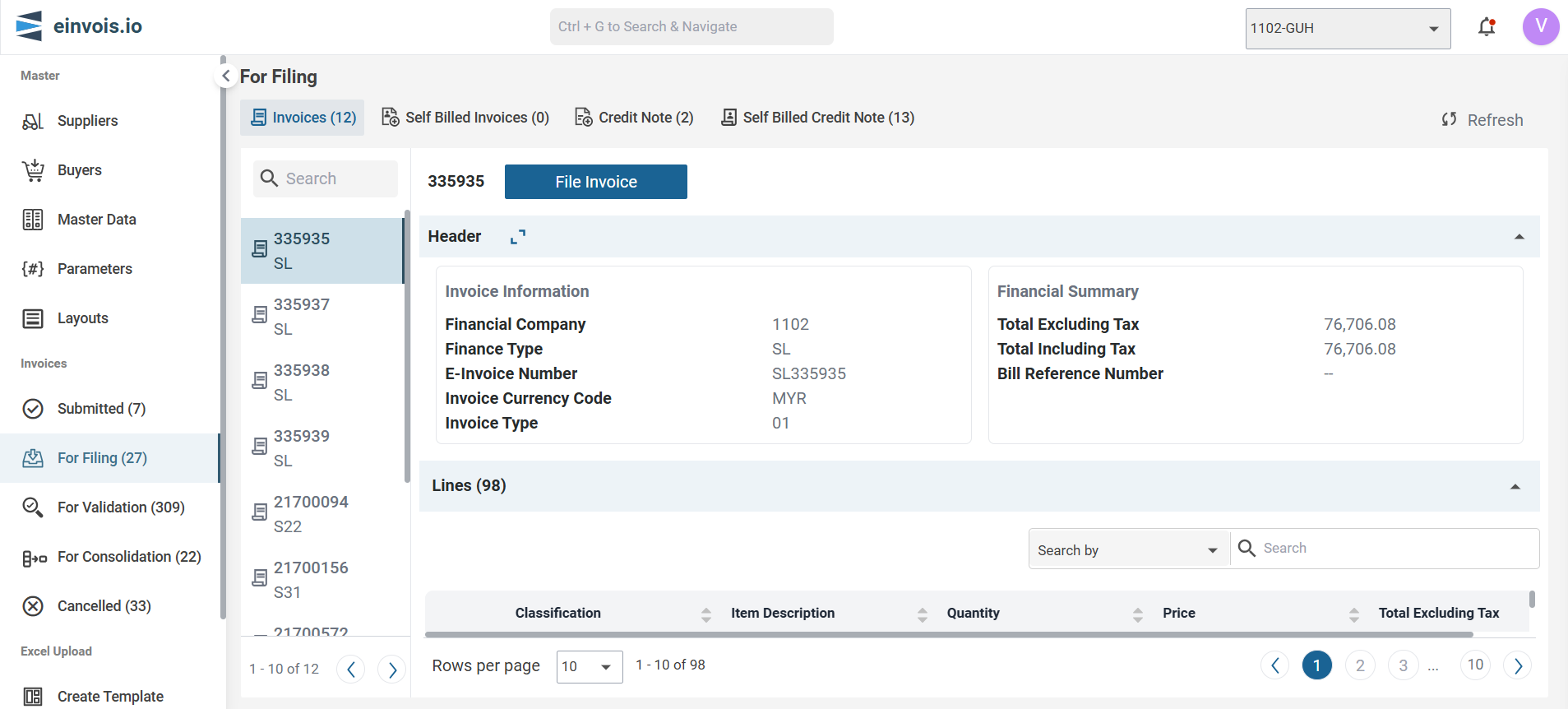
Header
The header section contains the following information:
1. Invoice Information
Financial Company : The unique identifier for the supplier.
Finance Type : The type of finance.
E-Invoice Number : The unique electronic invoice number.
Invoice Currency Code : The currency code used for the invoice.
Invoice Type : Invoice types are used to identify the document type.
2. Financial Summary
Total Excluding Tax : The total amount of the invoice excluding tax.
Total Including Tax : The total amount of the invoice including tax.
Bill Reference Number : A reference number for the bill (if applicable).
Lines
The lines section lists the line items within the invoice.
Classification : The category of the item.
Item Description : Description of the item or service.
Quantity : Number of units.
Price : Price per unit.
Line Invoice Amount : Total amount for this line item.
File Invoice
When filing an invoice, additional details might be required.
Filing Guidelines for Tax Type, Invoice Type, and Sales Categories
When filing, ensure the following fields are completed based on the tax type, invoice type, and sales categories:
1. Sales Categories
For Import or Export sales categories, the following additional fields are required:
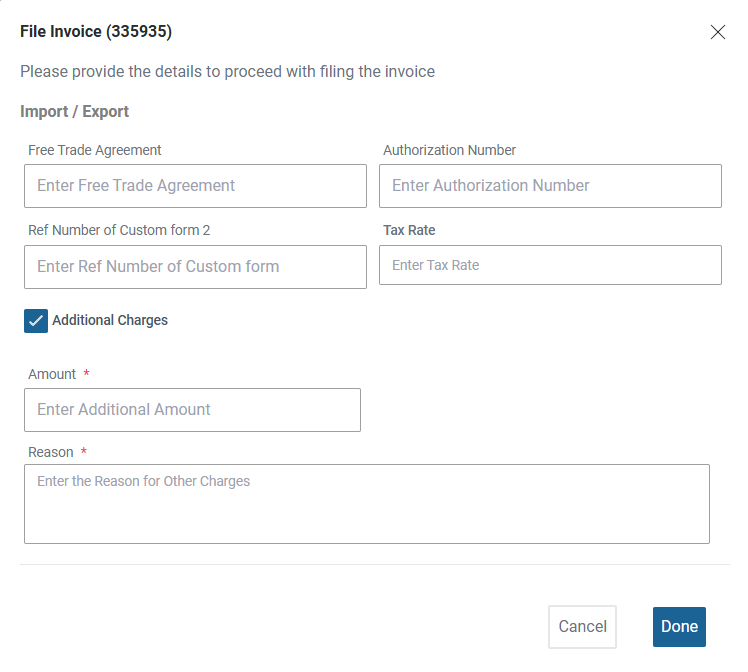
Free Trade Agreement : Enter the applicable free trade agreement.
Authorization Number : Enter the authorization number for the transaction.
Ref Number of Custom Form 2 : Enter the reference number of the relevant custom form.
Total Fee/Charge Amount : Enter total fees or Charge amount.
Additional Charges
Amount : Enter the additional amount.
Reason : Provide a reason for the additional charges.
2. Tax Type
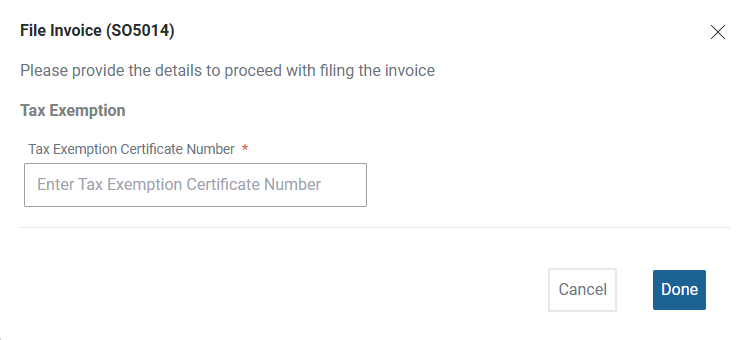
If the tax type is E , enter the Exemption Number.
3. Invoice Type
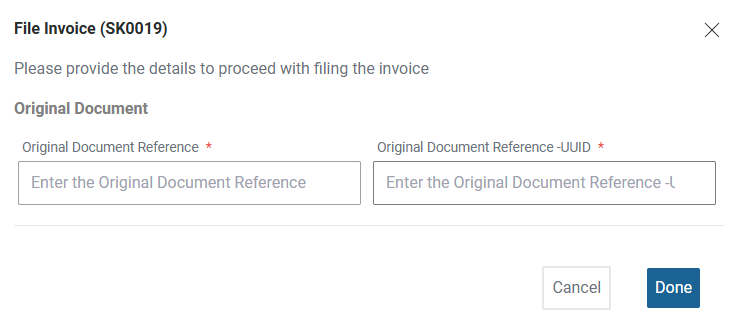
For CN (Credit Note), DN (Debit Note), or RFN (Refund Note), you must provide the Original Document Reference UUID to link the filing to the original transaction.
For Validation
Use this session to review invoices that have encountered errors, undergoes validation either through our portal or by LHDN.
For Validation Screen
Header
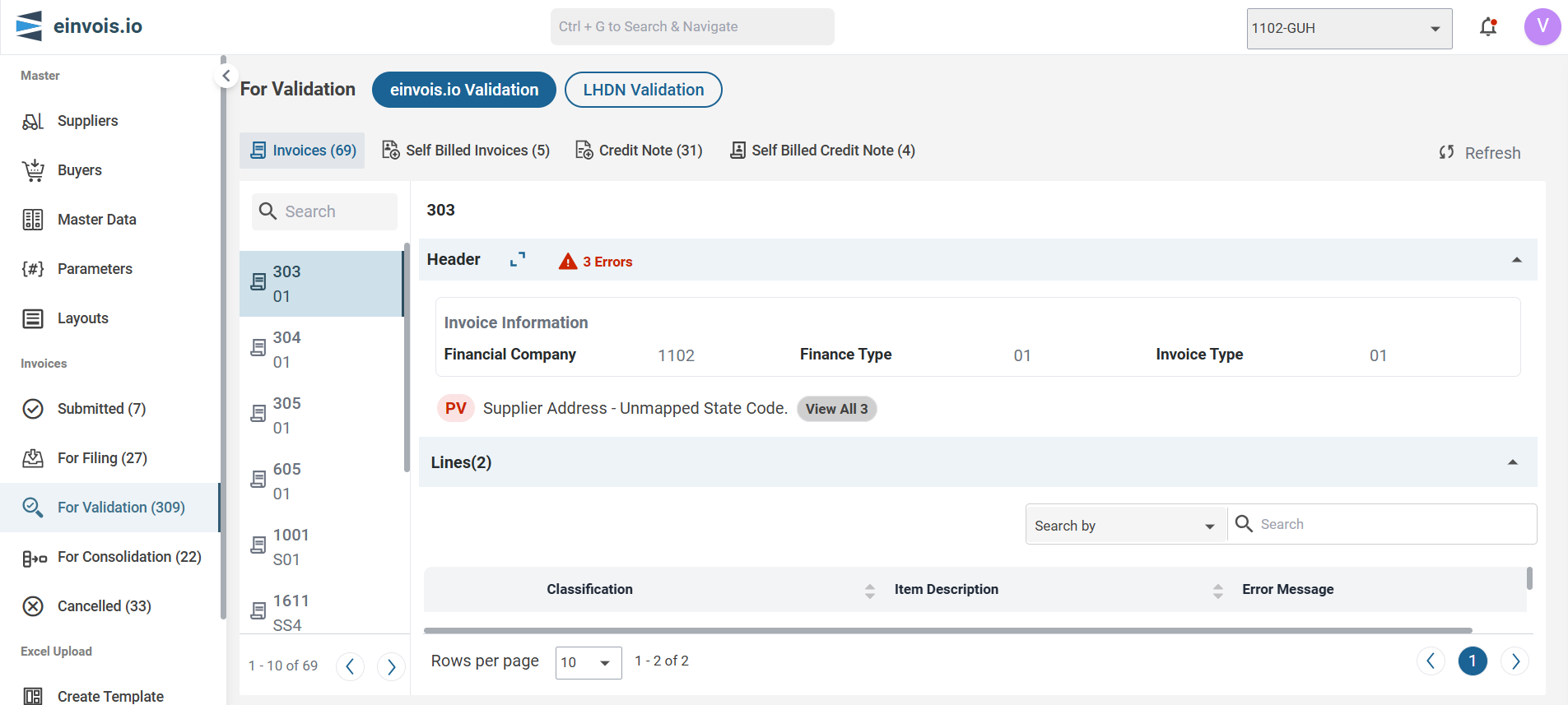
The header section contains the following information:
1. Invoice Information
Financial Company : The unique identifier for the supplier.
Finance Type : The type of finance.
Invoice Type : Invoice types are used to identify the document type.
Error Indication : The number of errors detected in the invoice, highlighted in red.
Error Details : A specific error message, such as "Unmapped Currency Code."
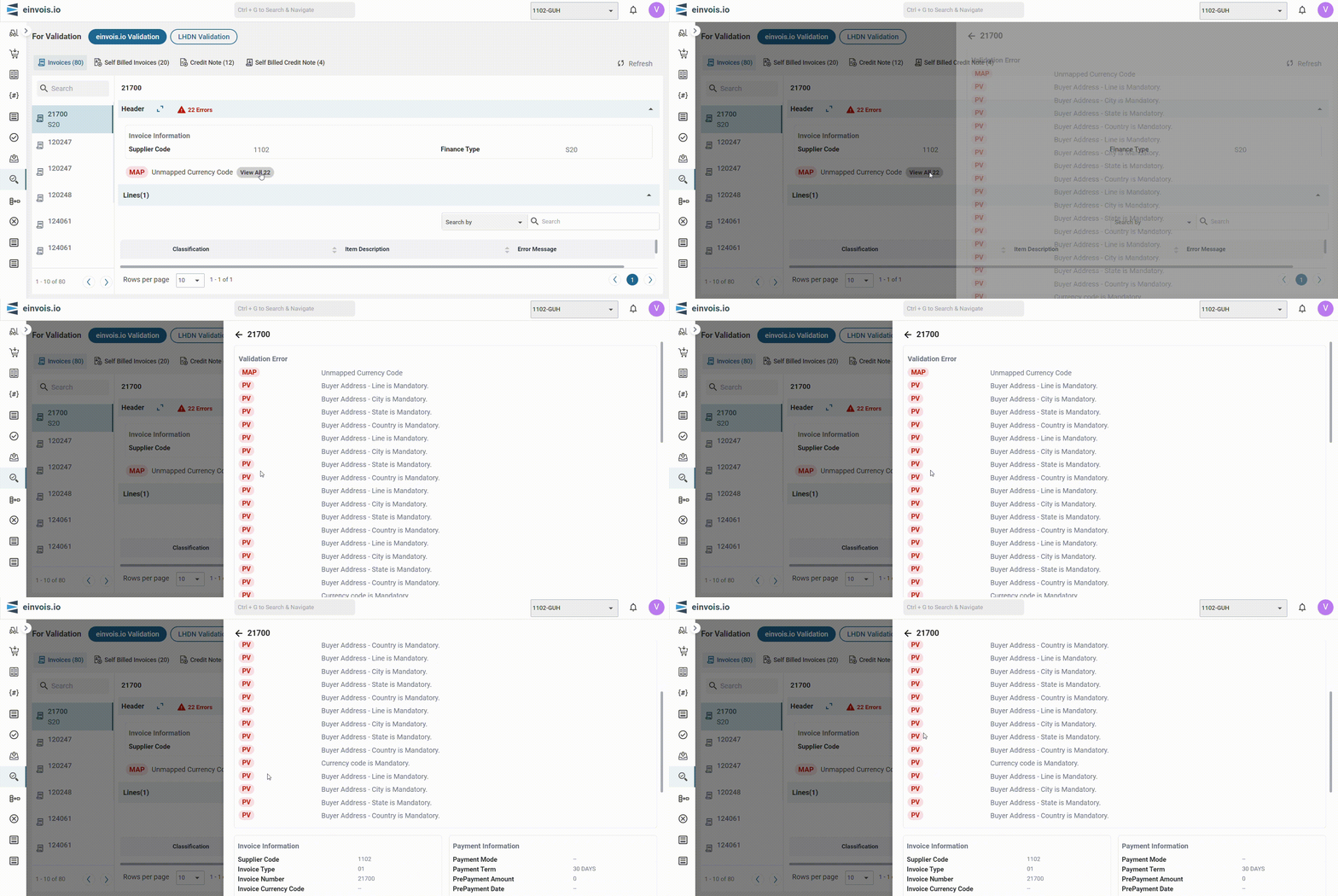
View all errors
To view the details of the errors, click view All.
Lines
The lines section lists the line items within the invoice.
Classification : The category of the item.
Item Description : Description of the item or service.
Error Message : Specific feedback related to the line item, if applicable.
Error Correction
User are allow to make correction based on error feedback received.
For Consolidation
Use this session to view the invoices set aside for consolidation.
User are allow to manually submit the invoice individually without consolidation.
For Consolidation Screen
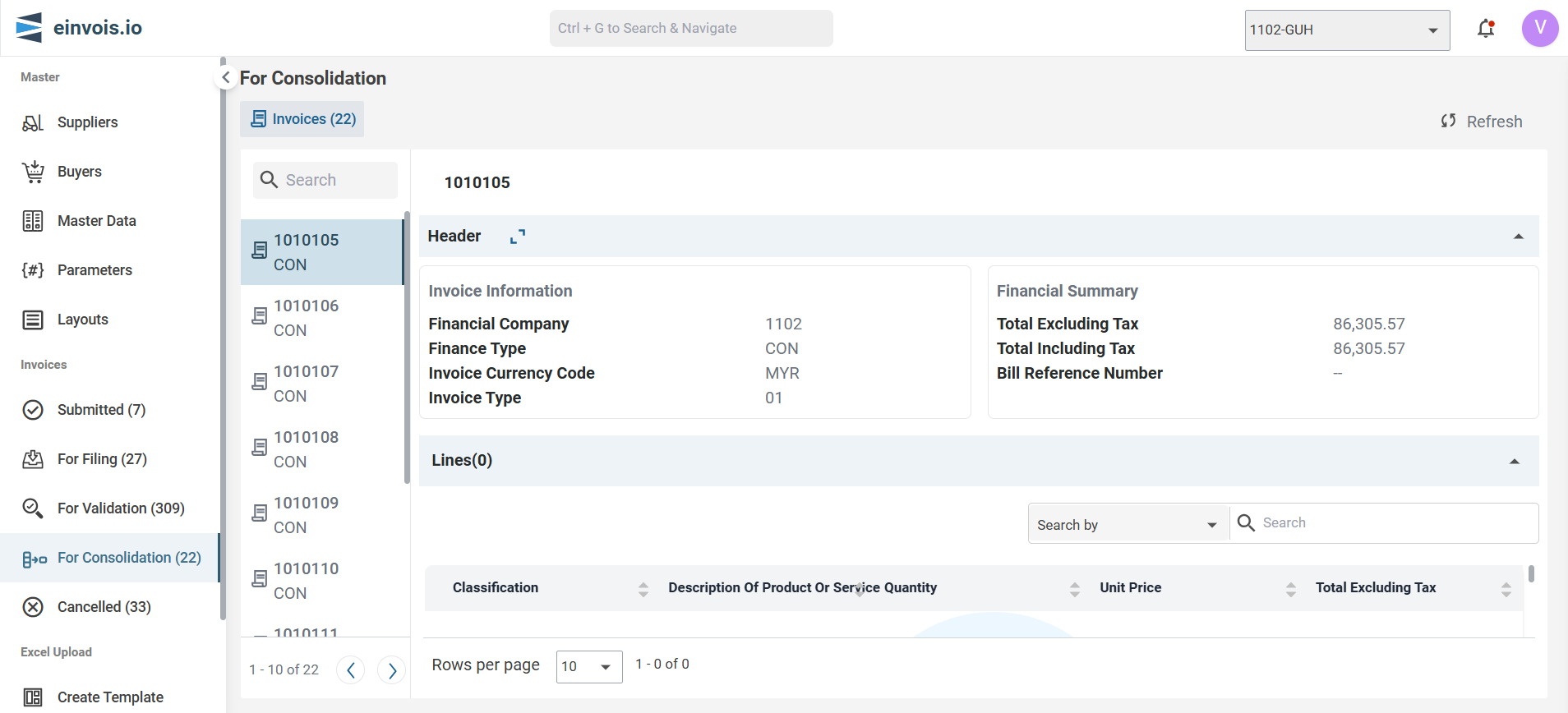
Header
The header section contains the following information:
1. Invoice Information
Financial Company : The company code.
Finance Type : The type of transaction.
Invoice Currency Code : The currency code used in the invoice.
Invoice Type : Invoice types are used to identify the document type.
2. Financial Summary
Total Excluding Tax : The total amount excluding tax.
Total Including Tax : The total amount including tax.
Bill Reference Number : The reference number for the bill.
Lines
The lines section lists the line items within the invoice.
- Classification
- Description of Product or Service
- Quantity
- Unit Price
- Total Excluding Tax
Cancelled
Use this session to view the invoices that have been cancelled via the portal.
Cancelled Screen
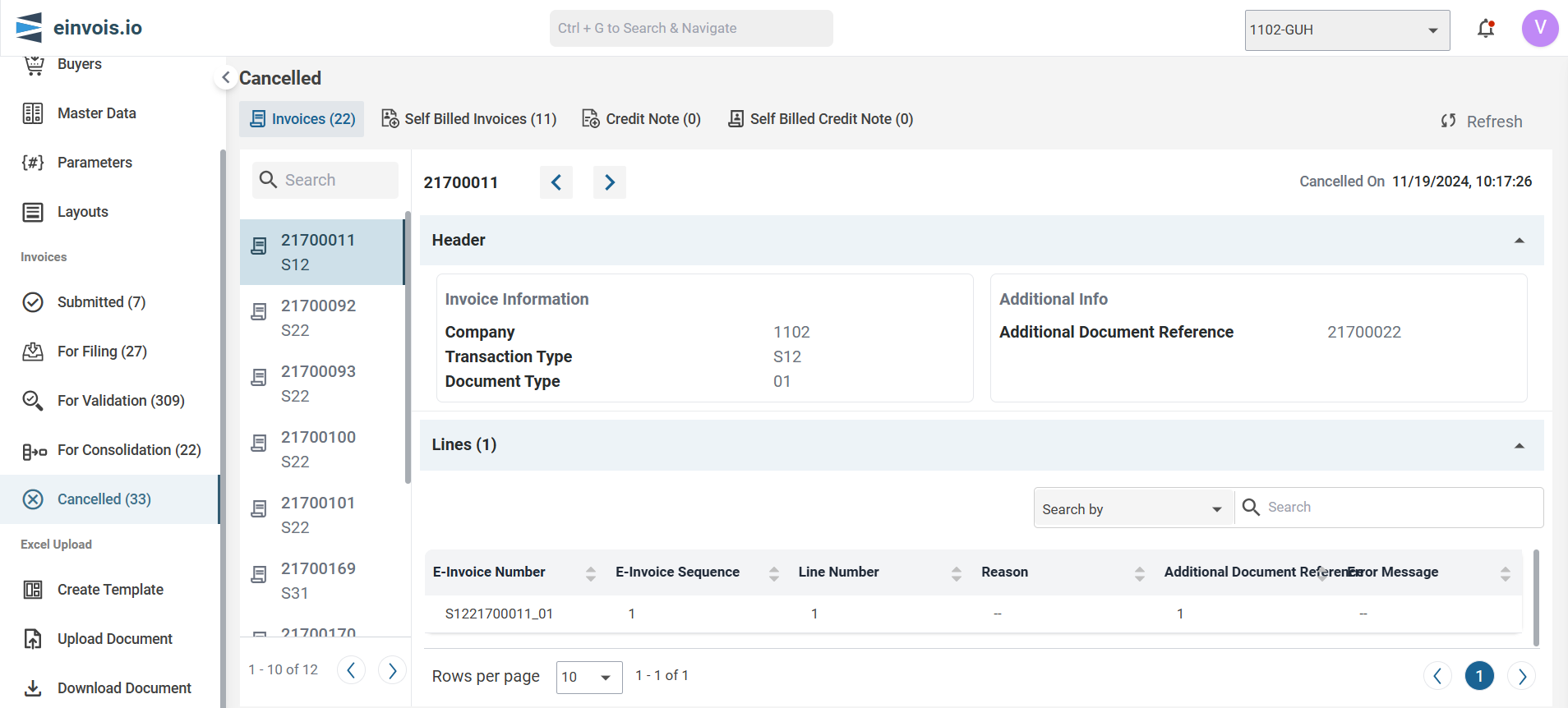
Header
The header section contains the following information:
1. Invoice Information
Company : The company code.
Transaction Type : The type of transaction.
2. Additional Info
- Additional Document Reference - Manual ID : A manual reference ID associated with the invoice.
Lines
The lines section lists the line items within the invoice.