
Appearance
State Codes
Use this session to map data from both the ERP and LHDN.
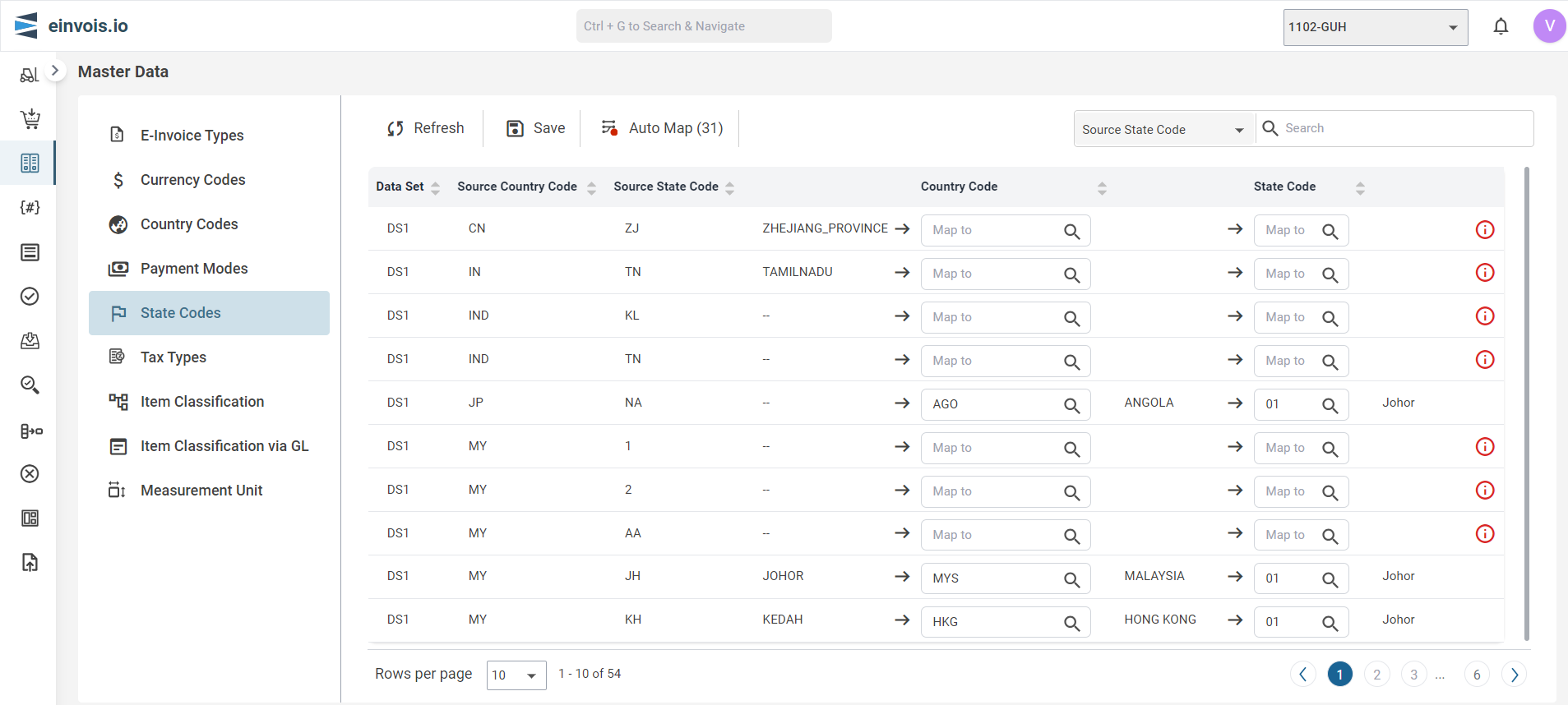
State Codes Screen
Note
Map is like connecting dots between two value to show how they're related.
Auto Map
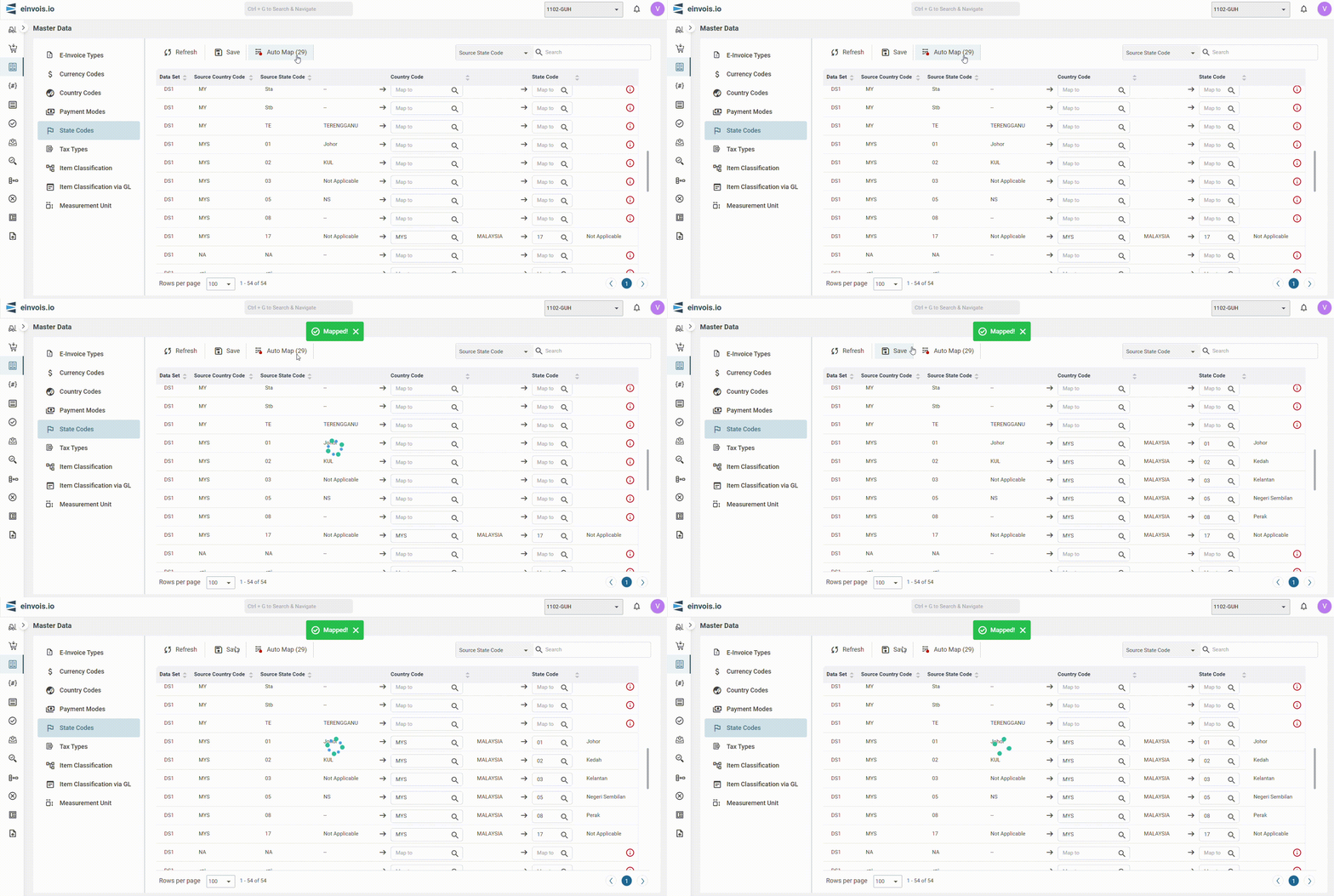
The State Code from LHDN will automatically map once user click "Auto Map"
For example: States Code - "10" (Selangor) under Country - MYS from ERP match to Code - "10" (Selangor) will be auto mapped.
Afterward, the user can click "Save" to preserve the mapped data.
Manual Map
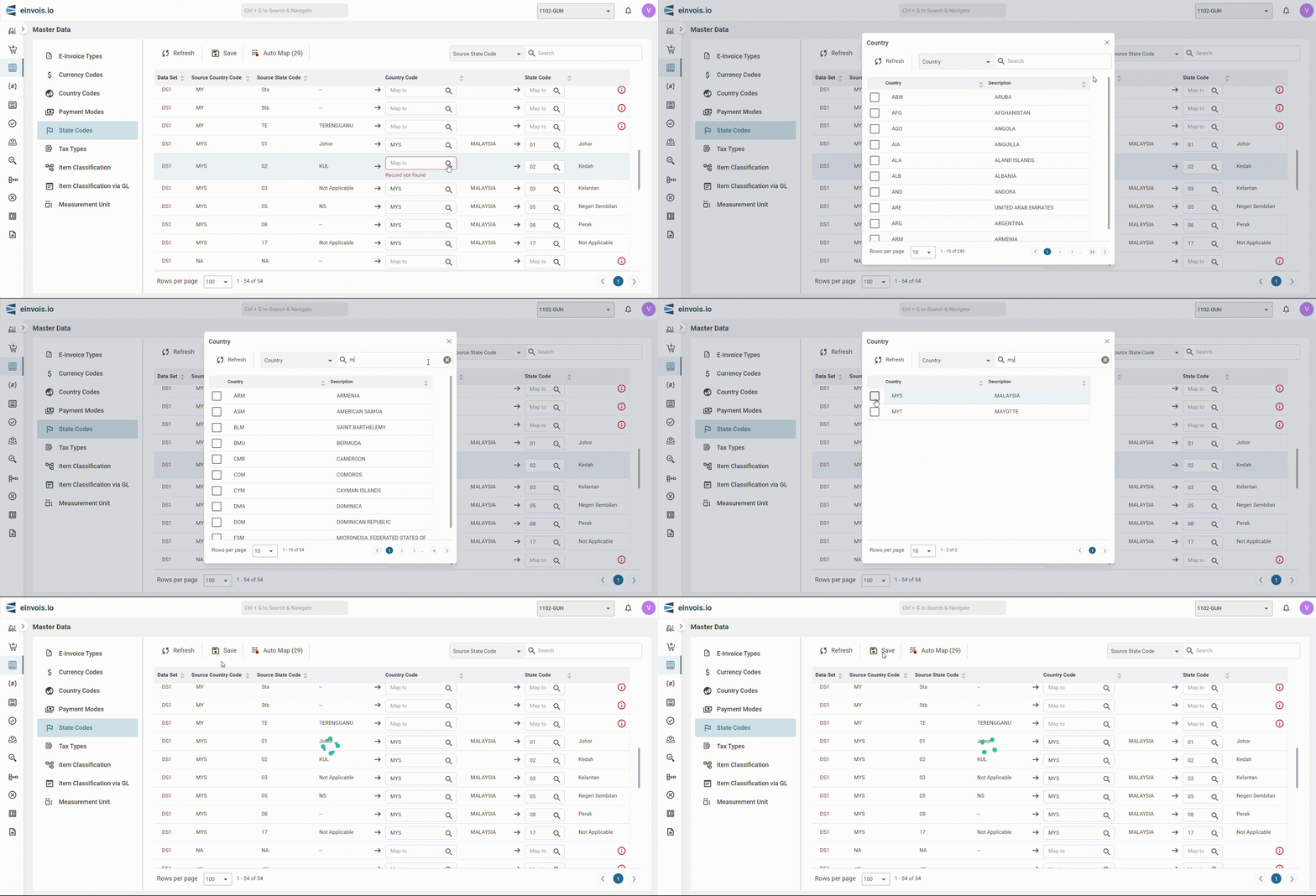
In cases where there's no match, users are required to manually map the data.
Afterward, the user can click "Save" to preserve the mapped data.
Note
If no appropriate matching value is found, the fields must be updated to indicate "17" (Not Applicable)