
Appearance
Item Classification
Data will be listed based on the Classification Mapping selection in Supplier Companies.
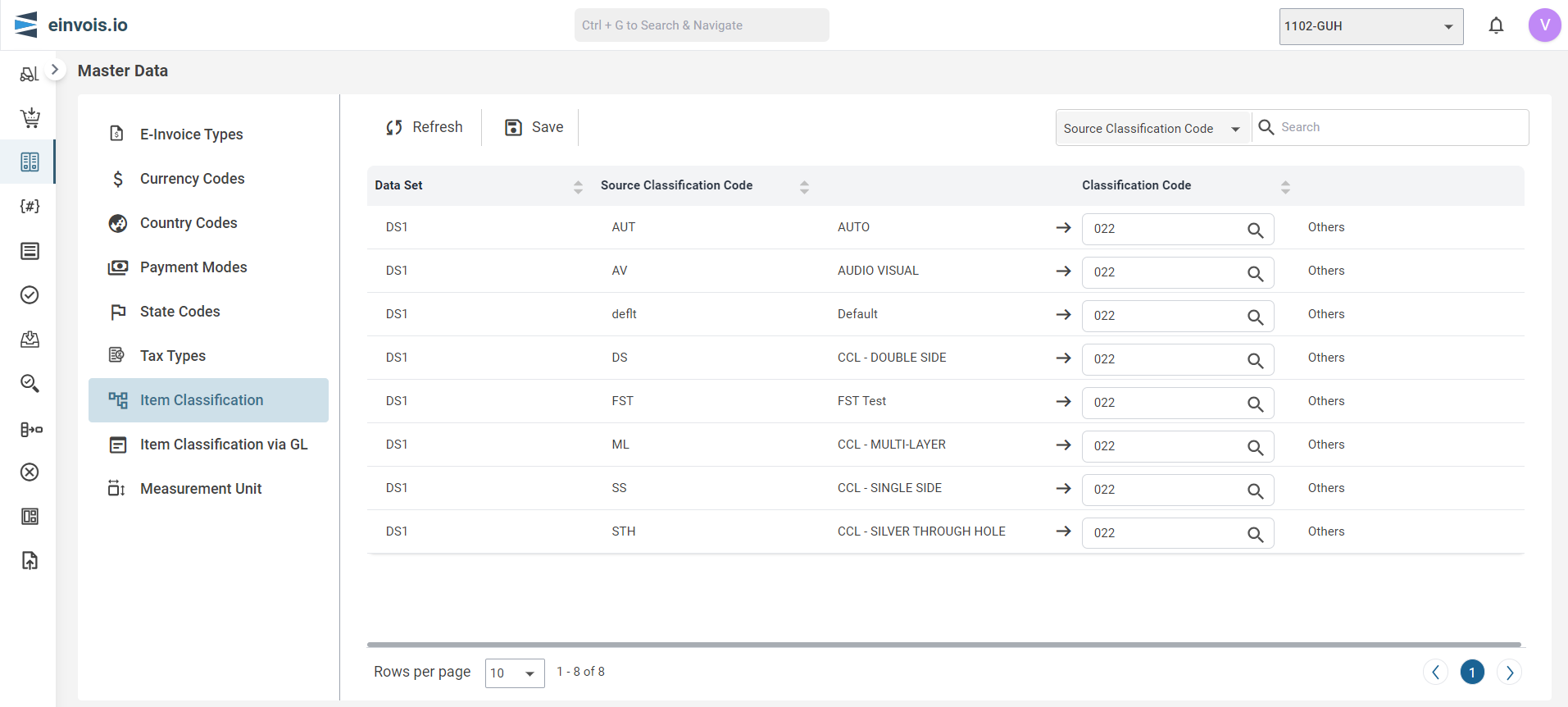
Use this session to classify data used within the ERP with the specific codes associated with different types of Items/Services.
Item Classification Screen
Note
Map is like connecting dots between two value to show how they're related.
Manual Map
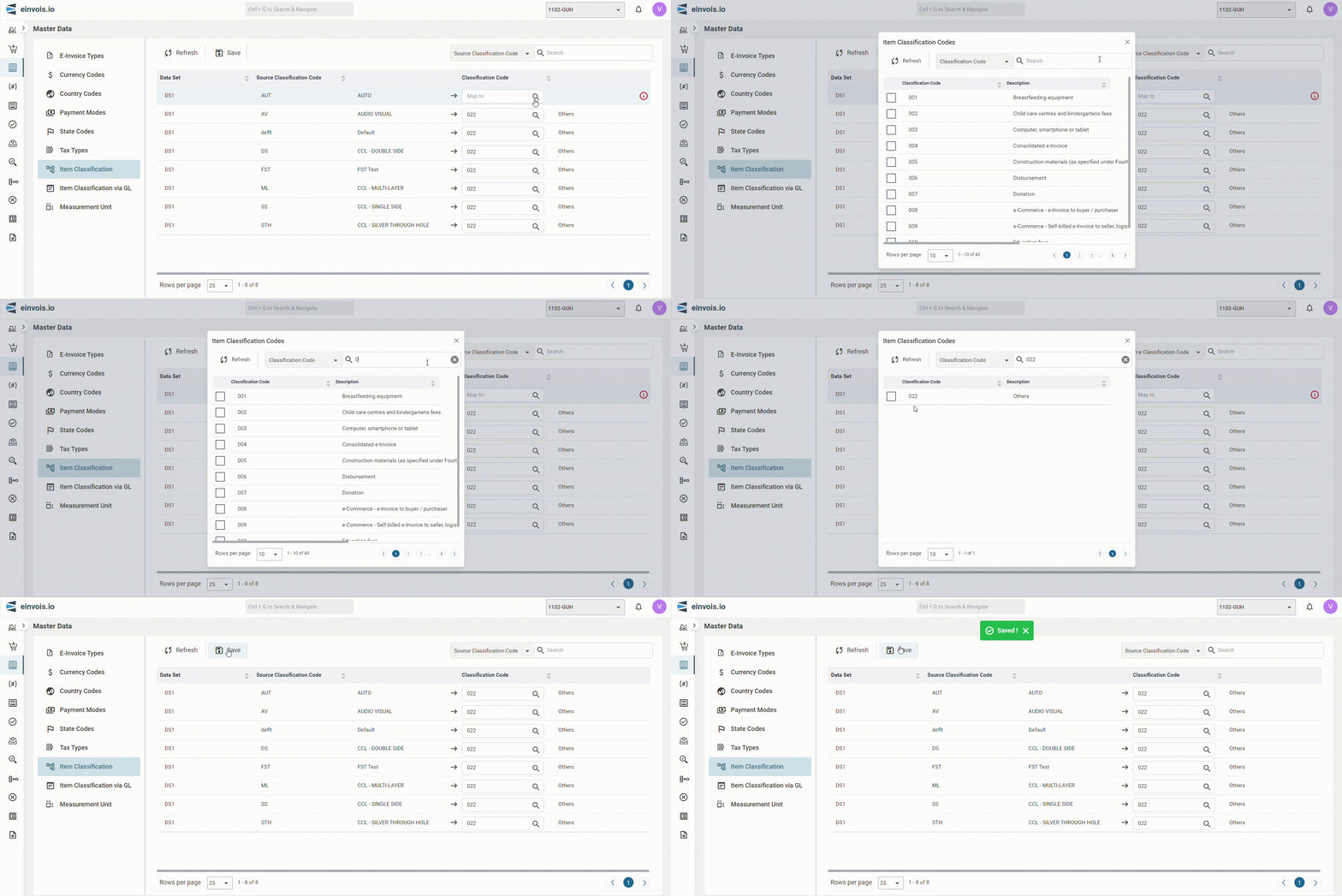
Users are require to manually map the data with the listed Source data.
For example: ERP Product Type - "HP Laptop" match to Code - "003" (Computer, smartphone or tablet)
Afterward, the user can click "Save" to preserve the mapped data.
Note: The following are the available options in Classification Mapping.
- a. Item Group
- b. Product Type
- c. Product Class
- d. Product Line
- e. Selection Code
Note:
Users must ensure that all item codes have maintained related classification in ERP.